How it works:
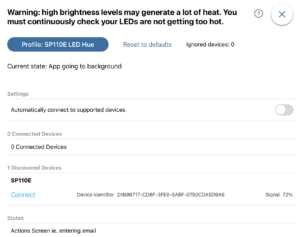
– turn off the new setting, “Automatically connect to supported devices”. It is on by default.
– hit “reset to defaults” if this app has already connected to anything in the past
– now once devices are in range, you can hit the Connect button in the new “Discovered Devices” section