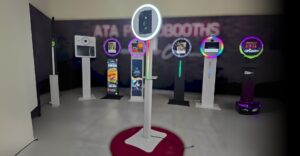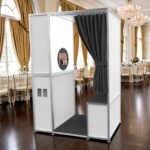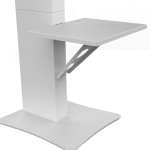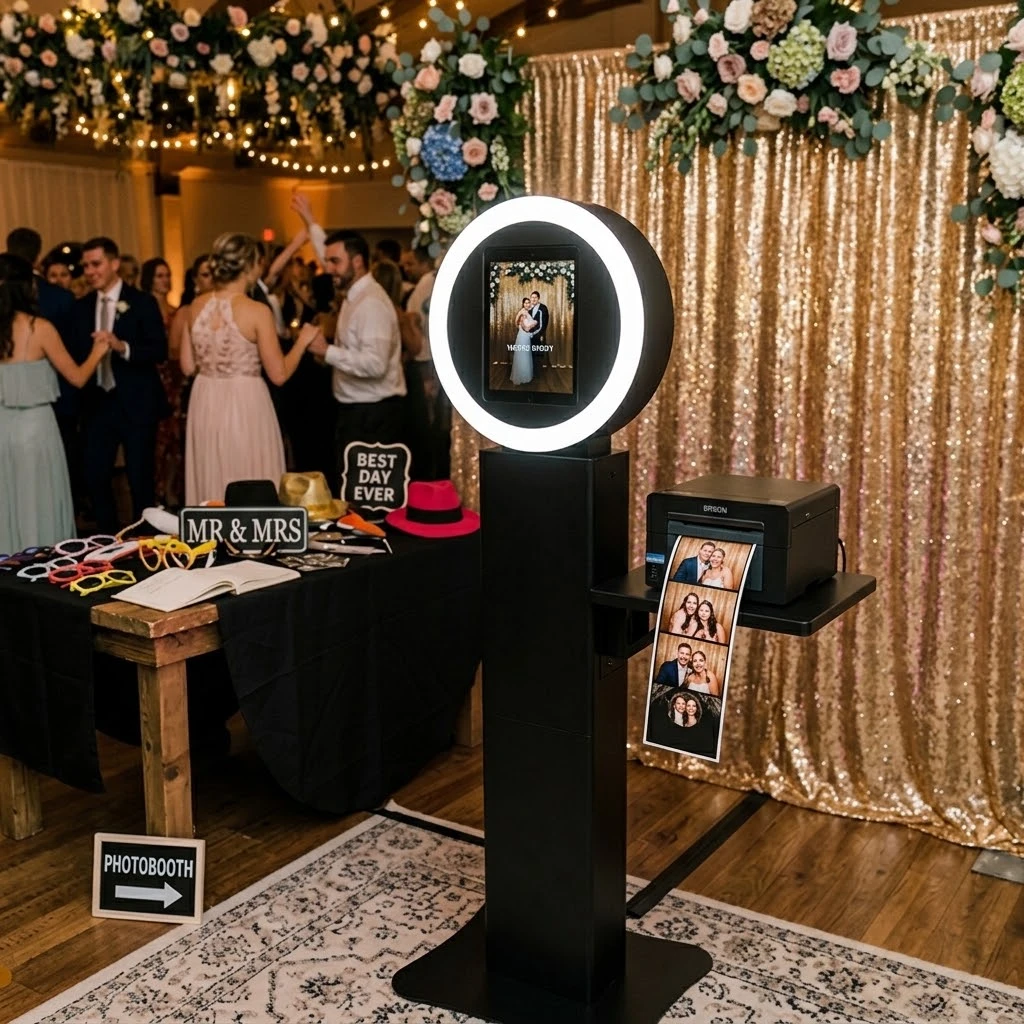
Starting an iPad photo booth business is the lowest-cost, fastest way to break into the event photography industry – and one of the easiest booth types covered in our Ultimate Guide to Professional Photo Booths. No van, no employees, and no photography degree required. With the right iPad photo booth setup, a single operator can book weddings and private parties within weeks, not months.
This guide breaks down exactly what equipment you need, compares the two leading software platforms, and shows you real numbers – so you can launch with confidence instead of guesswork.
Why an iPad Photo Booth Is the Easiest Way to Start
Every iPad based photo booth runs on the same basic idea: a tablet mounted in a professional enclosure replaces a bulky camera rig, an attendant, and thousands of dollars in gear. For a new operator, that translates into three real advantages.
- Low upfront cost – A complete setup – iPad, enclosure, lighting, and software license – typically runs $2,000 – $5,000, versus $10,000+ for a DSLR or 360 rig.
- Fast setup time – Most iPad enclosures assemble in under 20 minutes, solo, with no specialized tools.
- Low learning curve – Tablet-based software is touchscreen-driven and guest-facing by design – most new operators are comfortable running their booth after just one or two live events.
This combination is exactly why the iPad photo booth business model remains the highest-volume entry point for new operators, particularly in the wedding and private-party market.
iPad Photo Booth Setup: Equipment You Actually Need
A proper iPad photo booth setup has four core components. Skimp on any one of them and it shows up immediately in your photo quality – or your client’s first impression.
Choosing Your iPad (Pro vs. Standard vs. Mini)
The iPad Pro (12.9″) is the industry standard for a reason: its larger screen doubles as an eye-catching guest display, and its camera system handles low-light events far better than a standard iPad. A standard iPad can work for budget setups, but avoid the iPad Mini – its smaller screen makes template previews and touch controls awkward for guests.
Enclosure, Lighting & Printer Basics
- Enclosure: Choose aluminum or engineered composite over ABS plastic – it holds up to years of load-in/load-out and looks premium the moment a client sees it.
- Lighting: An adjustable-temperature LED ring light is the workhorse of any iPad setup, delivering even, flattering light with no harsh shadows.
- Printer (optional): A DNP or HiTi dye-sub printer adds physical prints in 8 -12 seconds. Many new operators start digital-only to reduce upfront cost, then add a printer once bookings justify it.
💡 Setup Tip: Practice your full iPad photo booth setup at home at least three times before your first paid event. A setup you can do in 15 minutes under pressure is worth more than any piece of hardware.
Best iPad Photo Booth Software Compared: Darkroom vs. Snappic
Your software is the single biggest factor in guest experience – and the most-asked question from new operators is which platform to choose. Here’s how the two leading options for iPad based photo booths actually compare.
Feature Comparison
| Feature | Darkroom | Snappic |
|---|---|---|
| Template Designer | Fully custom, drag-and-drop | Custom + built-in template library |
| Delivery Options | Text, email, AirDrop | Text, email, QR code |
| GIF / Boomerang | Yes | Yes |
| Lead Capture / CRM Sync | Basic | Advanced, built for marketing teams |
| Pricing Model | Monthly subscription | Monthly subscription + event-based tiers |
| Best For | Solo operators, weddings | Operators targeting corporate clients |
If your primary target market is weddings and private parties, Darkroom’s simpler template workflow is usually faster to learn. If you’re planning to pursue corporate clients early, Snappic’s stronger data capture and analytics tools pay for themselves on your very first branded activation.
DIY vs. Professional iPad Photo Booth: What’s the Real Difference?
A DIY iPad photo booth — a tablet on a tripod with a ring light clipped on – can technically capture a photo. But it can’t compete on price with a professional setup, and here’s why that matters for your business:
- Pricing power – A premium enclosure signals value the moment a client sees it – it’s the difference between charging $500 and $1,200 for the same event.
- Reliability – Commercial enclosures are built for repeated load-in/load-out. DIY rigs made from consumer tripods and clamps fail – usually mid-event.
- Client trust – Wedding and event planners routinely ask vendors for equipment photos before booking. A DIY setup often disqualifies you before you get a chance to quote.
If you’re serious about building a real iPad photo booth business rather than a weekend hobby, the enclosure is not the place to cut corners.
Pricing Your iPad Photo Booth for Weddings
Wedding and private-event rates for iPad photo booths follow a fairly predictable pattern nationally:
| Package | Duration | Typical Rate |
|---|---|---|
| Standard | 3 Hours | $500–$800 |
| Premium | 4 Hours | $700–$1,200 |
| Drop-Off (self-service) | Full Day | $350–$700 |
The drop-off model deserves special attention for new operators: since you deliver, set up, and leave, you can run multiple bookings on the same day – a meaningful scaling advantage while you’re still working part-time.
How Much Does It Cost to Start?
Here’s a realistic starting budget for a single iPad photo booth business, digital-only:
- iPad Pro 12.9″: $999–$1,299
- Premium enclosure: $800–$2,000
- LED ring light: $100–$250
- Software subscription: $50–$150/month
- Business insurance & licensing: $300–$600/year
Total upfront investment: roughly $2,200–$4,000. At an average of $700 per event, most new operators recover their equipment cost within four to six bookings.