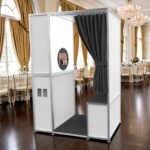
If the glass faceplate on your photo booth becomes cracked or shattered, stop using the booth immediately until the damage has been inspected. Even a small crack can spread from vibration, transportation, temperature changes, or continued pressure on the glass.
⚠️ First: Make the Booth Safe
- Turn the photo booth off and disconnect it from power.
- Do not press on, push, or attempt to remove loose glass with bare hands.
- If pieces of glass are loose, keep customers and guests away from the booth.
- Wear protective gloves if you need to handle or move the booth.
- Do not transport the booth normally if loose glass could fall out.
🔍 Check the Glass Damage
Inspect the faceplate carefully and determine:
- Is there only a small crack, or is the glass completely shattered?
- Does the crack begin from an edge, corner, screw, mounting point, or opening?
- Are any pieces of glass loose or separating from the faceplate?
- Is the glass still sitting evenly inside the frame?
- Are there any visible impact marks where something may have struck the glass?
Take several clear photos before removing or adjusting anything. We recommend taking:
- A full photo of the front of the booth.
- A close-up of the cracked or shattered area.
- Photos of all four corners.
- Photos of the sides and back of the head unit.
- Photos of any dents, scratches, bends, or impact marks.
📦 If the Booth Was Dropped
If the glass cracked after the booth was dropped, inspect more than just the glass. A drop can transfer force into the frame and internal components.
Check the Outer Frame
Look around the complete head unit for:
- Bent or pushed-in corners
- Dents
- Scratches or chipped coating
- Gaps between panels
- Panels that no longer sit flush
- A frame that appears twisted or uneven
Place the booth on a flat surface and look at it from the front and sides. The head unit should not appear tilted or warped.
Check the Glass Mounting Area
Inspect the area holding the glass.
Look for:
- Bent brackets
- Loose screws
- Missing hardware
- Mounting points that have shifted
- Uneven pressure against the glass
- Damaged rubber, foam, or protective padding around the glass
Do not overtighten screws around a glass faceplate. Excessive pressure can place stress on the glass and cause additional cracking.
📱 Check the iPad or Display
If your booth has a tablet or display behind the glass, inspect it carefully.
Check for:
- Cracked device screen
- Screen discoloration
- Black spots or lines
- Flickering
- Touchscreen areas that do not respond
- Device sitting crooked inside the mount
- Loose mounting hardware
- The iPad or tablet still charging properly
Turn the booth on only after loose or dangerous glass has been secured and it is safe to do so. Confirm that the charging indicator appears and that the battery level increases while connected to power.
💡 Check the Ring Light and LEDs
Check that:
- The ring light is still centered.
- The LEDs turn on normally.
- There is no flickering.
- The wiring is secure.
If your booth uses ATA Bluetooth LED lighting, the LEDs are pre-programmed and do not require additional configuration after a faceplate replacement.
🔌 Check the Internal Components
After a drop, check inside the booth for loose or disconnected parts.
Look for:
- Loose cables or plugs
- Loose power supplies, USB hubs, or mini PCs
- Shifted camera brackets
- Components hanging by their wires
Do not continue operating the booth if you see exposed wiring, damaged connectors, or components that have broken loose.
📷 Check the Camera and Camera Bracket
If your booth uses a DSLR or mirrorless camera, inspect the camera mounting system.
Confirm that:
- The camera bracket is not bent.
- The camera remains securely mounted.
- The lens is not touching the faceplate opening.
- The camera is still pointing straight.
- The lens is not cracked.
- USB, HDMI, and flash/sync cables are secure.
Take a few test photos afterward to make sure the camera is still focusing correctly and producing normal-quality images.
🧱 Check the Stand and Connection Points
If the entire booth fell over, also inspect:
- Head-to-pole connection
- Pole or column
- Base plate
- Tightening knobs
- Threaded inserts
- Screws and bolts
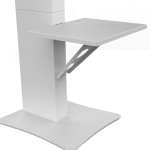
- Printer shelf, if equipped
Make sure nothing is bent and that the booth still stands straight without excessive movement.
🧪 Test the Booth After Inspection
Once the broken glass has been safely addressed and no major structural damage is visible:
- Power the booth on.
- Check the tablet or computer display.
- Confirm the iPad or tablet is charging.
- Test the touchscreen.
- Test the LEDs.
- Test the camera.
- Take several photos.
- Test the software.
- Test printing, if applicable.
- Gently check the booth for unusual movement or looseness.
If anything behaves differently than before the impact, stop and contact ATA Photobooths Technical Support before using the booth at an event.
🛠️ Glass Faceplate Replacement
A cracked or shattered glass faceplate should be replaced rather than repaired.
Replacement faceplates for compatible ATA Photobooths models, including the Posh, Flare, Ring, and Roamer, can be found here:
ATA Photobooths Faceplate Replacement
Before ordering, confirm that the replacement faceplate matches your photo booth model. If you are unsure which faceplate you need, contact ATA Photobooths Technical Support before placing your order.
When contacting ATA Photobooths for a replacement, provide:
- Your photo booth model
- Photos of the damaged glass
- Photos of the complete booth
- A description of what happened
- Whether the booth was dropped or struck
- Photos of any additional frame or component damage
This helps determine whether only the glass needs replacement or if additional components should also be inspected or replaced.
✅ Important
A broken faceplate does not automatically mean the entire photo booth is damaged. However, if the booth was dropped, it is important to inspect the complete unit because the impact can affect the frame, device mounting system, camera, wiring, lighting, and other internal components.
When in doubt, send ATA Photobooths clear photos and a description of what happened before continuing to operate the booth.