ATA Photobooths / Flare
Basic & Pro full systems

Flare iPad
Photo Booth

One booth design. Choose the built-in iPad camera or a dedicated camera setup with xenon flash.

Find your Flare
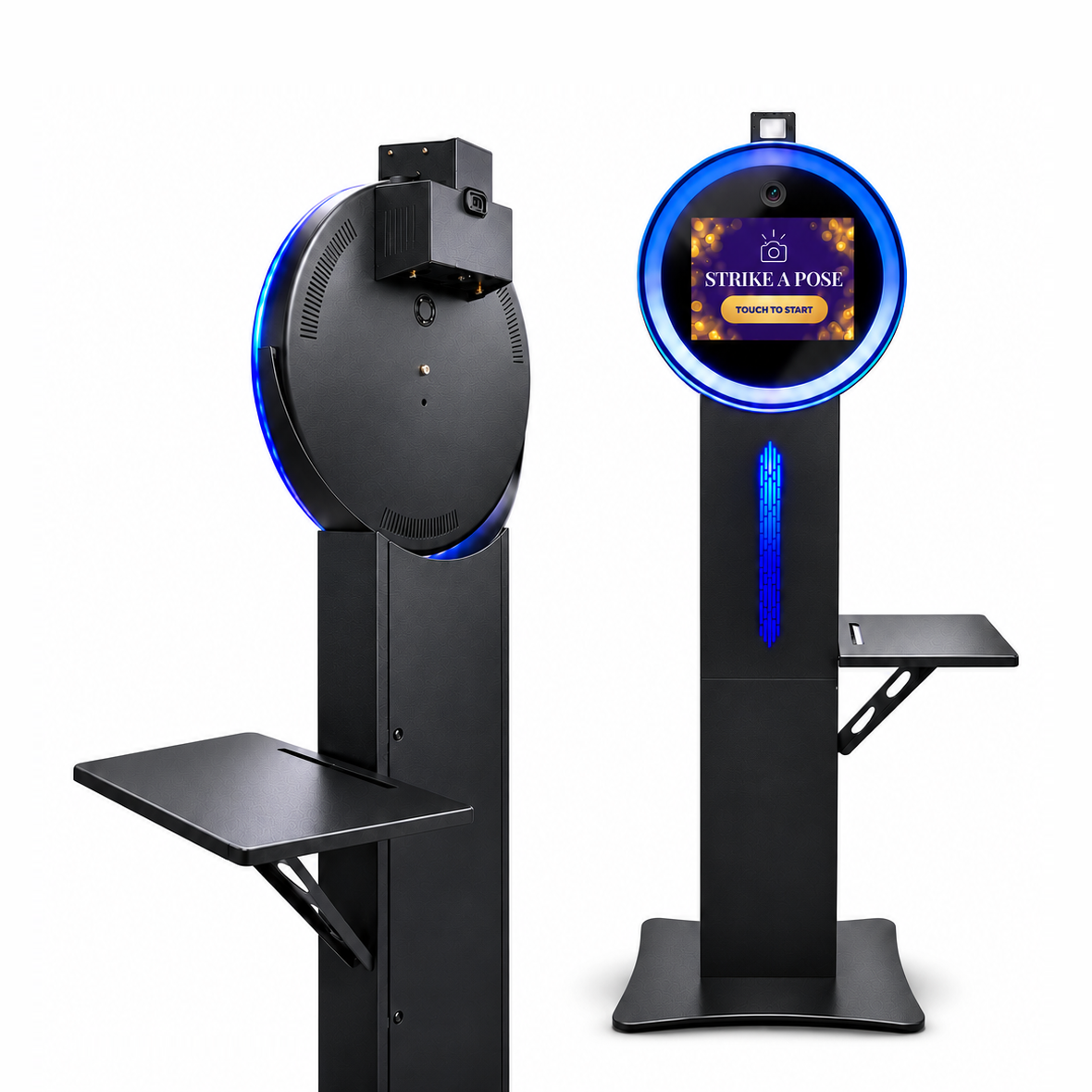
Front and rear views of the black Flare Pro, with a blue ring light and top-mounted flash
Flare Pro shown with the dedicated camera setup.

Choose what takes the photo.

Guests use the iPad touchscreen on either model. The difference is the camera behind the experience and how you light each shot.

Flare Basic head with an iPad display and multicolor LED ring light
Flare Basic

Built-in iPad camera

The iPad runs the booth and takes the photos. The ring light stays on while guests pose. Choose Basic if you want fewer components to set up and a straightforward workflow for parties, weddings, and digital sharing.

From $3,913

Configure Flare Basic
Flare Pro head showing the dedicated camera lens and xenon flash above the ring light
Flare Pro

Dedicated camera + xenon flash

The iPad runs the booth and a separate camera takes the photos. Choose Pro for more control over exposure and flash, especially when venue lighting is dim or you want consistent portraits across a busy event.

From $4,632 · Canon camera optional

Configure Flare Pro

Prices shown in USD. Your selected faceplate, camera, and printer options determine the final package price on the product page.

Basic vs. Pro

Compare the features that affect your setup, photos, and ordering choices.

FeatureFlare BasicFlare Pro
Photo captureBuilt-in iPad cameraDedicated camera. Add a Canon EOS R100 or ask ATA to confirm compatibility with your camera and app.
LightingContinuous app-controlled RGB-W ring lightContinuous app-controlled RGB-W ring light plus included xenon flash
iPad Air13-inch M3, 128GB included13-inch M3, 128GB included
Booth finishBlack or whiteBlack or white
Faceplate optionsAluminum, clear glass, or mirror glassAluminum or clear glass
Included accessoriesSide-mounted printer shelf and rolling hard travel caseSide-mounted printer shelf and rolling hard travel case
PrintingOptional printer with one box of mediaOptional printer with one box of media
SetupSet up the booth, open your app, and frame the shot.Connect the camera, then test capture and flash with your app before the event.

What comes in the box

Start with the equipment and software trial that come with both packages, then check the model-specific items.

With both packages

  • Powder-coated aluminum booth with RGB-W ring light, LED-accented column, and baseplate
  • 13-inch iPad Air M3 with 128GB storage
  • Side-mounted printer shelf and rolling hard travel case
  • Column lighting controls and a one-month iPad photo booth app trial

Also with Flare Pro

  • Xenon flash and camera-ready booth head
  • Three-port USB hub, Canon R100 dummy battery, and 12V power supply
  • 64GB SD card when you add the Canon EOS R100
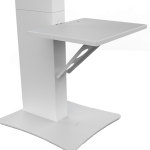
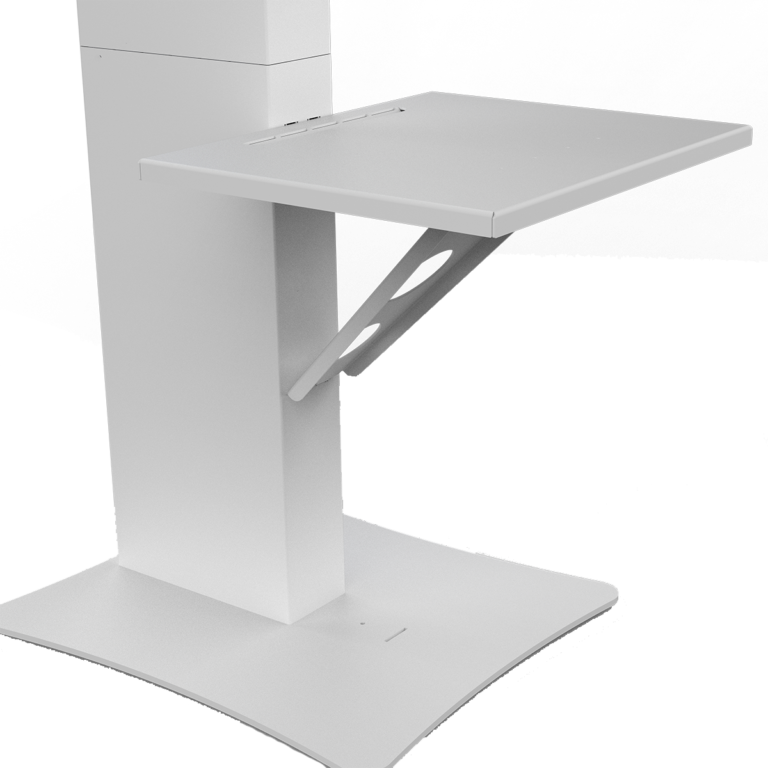
White side-mounted printer shelf and support bracket attached to the Flare booth column

Side-mounted printer shelf

Included with Basic and Pro. Mount an optional compatible printer right on the booth.

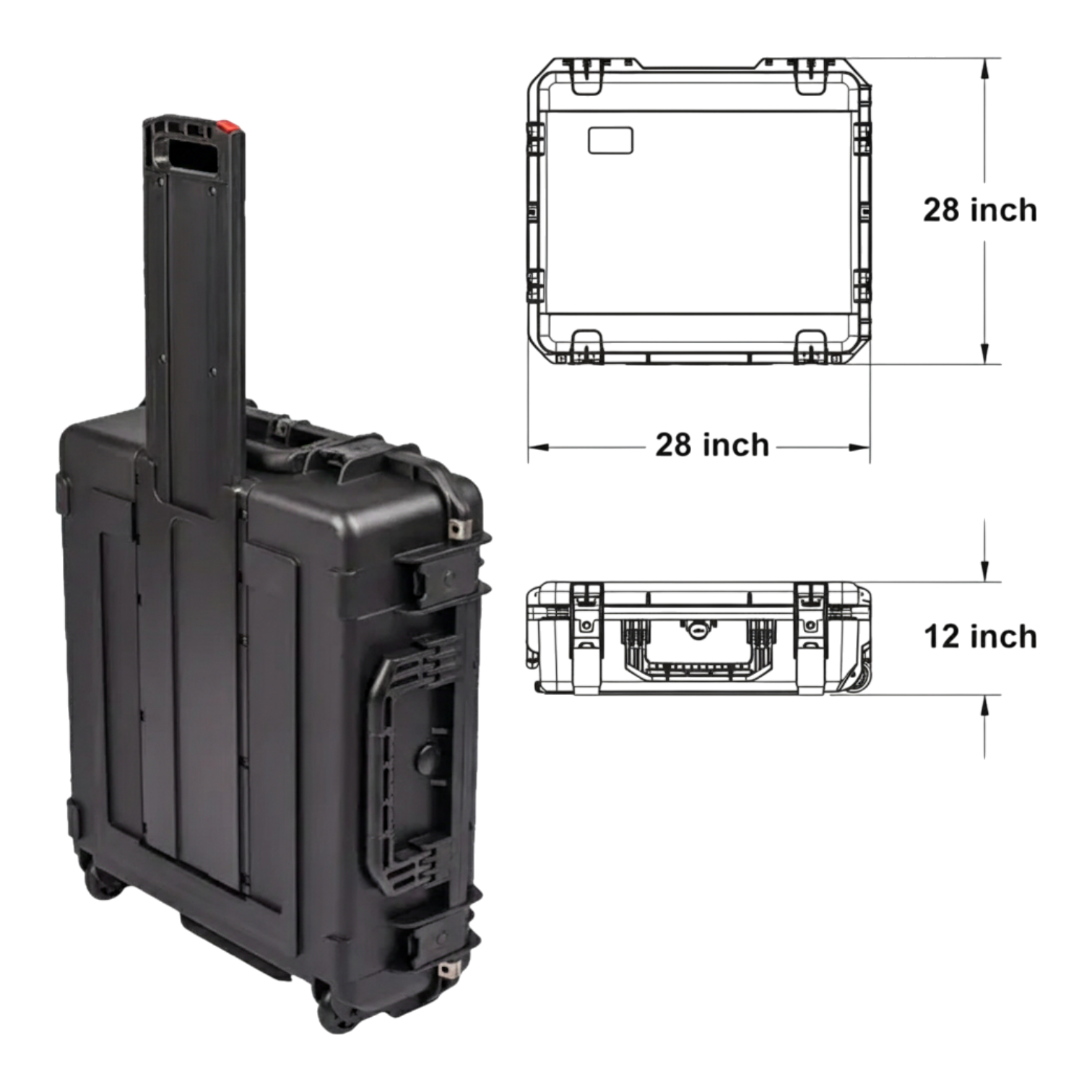
Black Flare rolling hard travel case with a telescoping handle and a diagram of its dimensions

Rolling hard travel case

Included with Basic and Pro. The 28 × 28 × 12-inch case protects the booth during transport.

Decide before you order.

Choose the pieces that fit how you plan to use your booth.

  1. Finish and faceplate

    Choose black or white for either model. Both offer aluminum and clear glass. Flare Basic also offers a mirror-glass faceplate.

  2. Camera for Flare Pro

    Add the Canon EOS R100 for the dedicated-camera setup shown. If you already own a camera, confirm that it fits and works with your chosen iPad app before selecting the camera-free option.

  3. Digital sharing or prints

    Run digital-only with your iPad app, or add a DNP RX1, DNP 620A, or Sinfonia CS2 with one box of media. Confirm the print connection and app workflow for your chosen printer. The booth’s shelf is included with either model. A separate printer case or cover is optional.

  4. Power and transport

    Both list 110–240V AC input and a 28 × 28 × 12-inch travel case, with a listed packed weight of 58 lb. Ask about the optional battery if you plan to work away from an outlet.

Before your first event

Answers about software, delivery, and support.

Do I need to buy an iPad separately?

Both full systems include a 13-inch iPad Air M3 with 128GB. The Basic uses it for capture and the touchscreen. The Pro uses it for the app and guest interface while the dedicated camera takes the photo.

Does the Pro price include the Canon camera?

The Canon EOS R100 is a selectable add-on. The xenon flash comes with the Pro package. Check the product page with your camera selection to see your configured total.

Which photo booth app can I use?

Both listings include a one-month iPad photo booth app trial and list apps such as Snappic and Curator Live. Check your app plan for the capture, sharing, and printing features you need. If you choose Pro, confirm support for your camera with the app provider.

When will it ship?

The current listings show estimated dispatch in 2–3 days and typical arrival within 1–2 weeks. Contact ATA for availability and an estimate for your destination if you have a fixed event date.

What warranty and support do I get?

ATA lists a one-year manufacturer’s warranty for both systems. Inspect and test your package promptly after delivery and report arrival issues during the three-day inspection period. See ATA’s shipping, returns, and warranty policy for the full terms.

Can I finance my booth or order internationally?

See ATA’s financing options for current terms. For international orders, contact ATA before ordering to confirm shipping arrangements and applicable import charges.

Talk through your setup.

Tell us what kinds of events you run, which camera you own, or how you want to deliver prints. We can help you choose the right package.

0
0
Your Cart
Your cart is emptyReturn to Shop